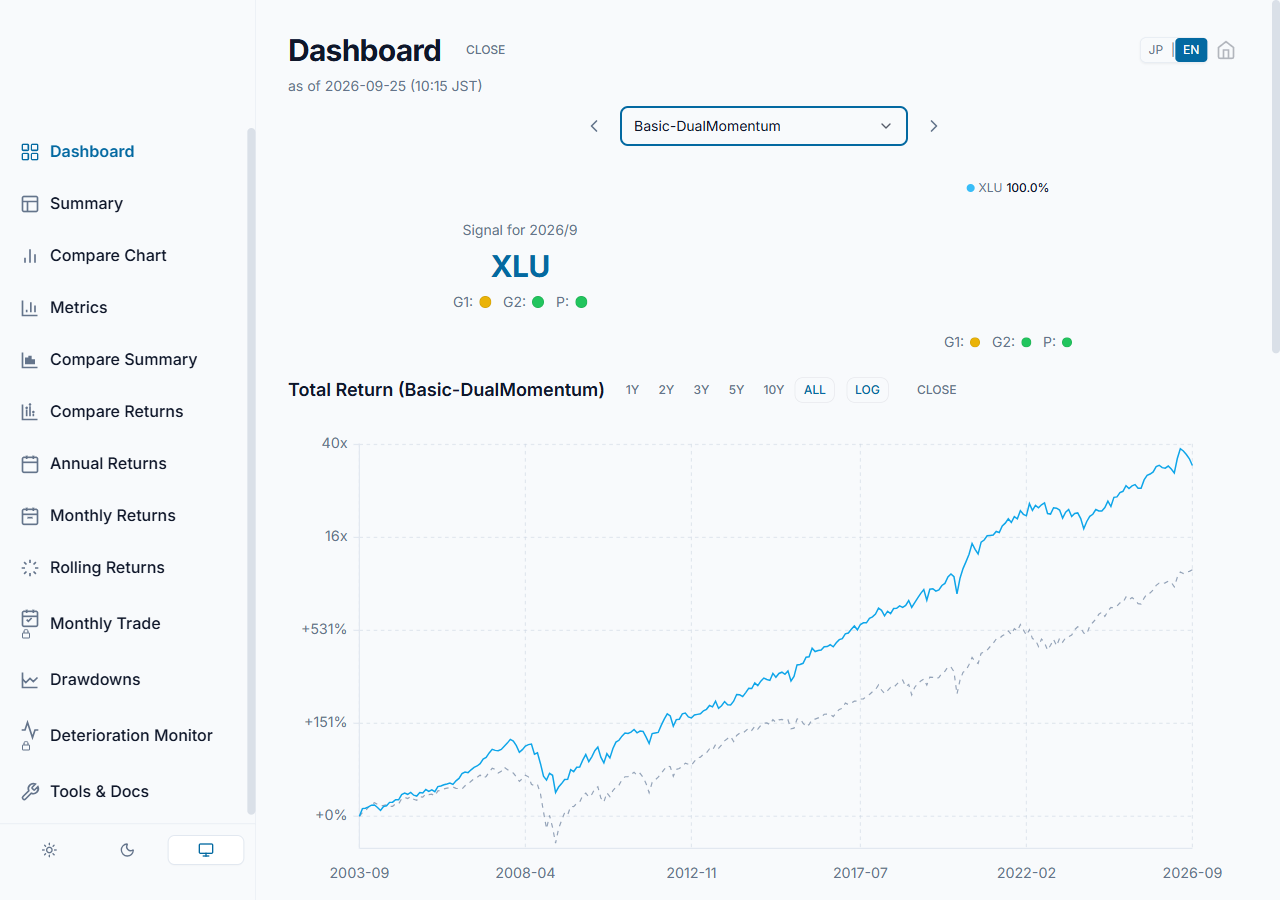
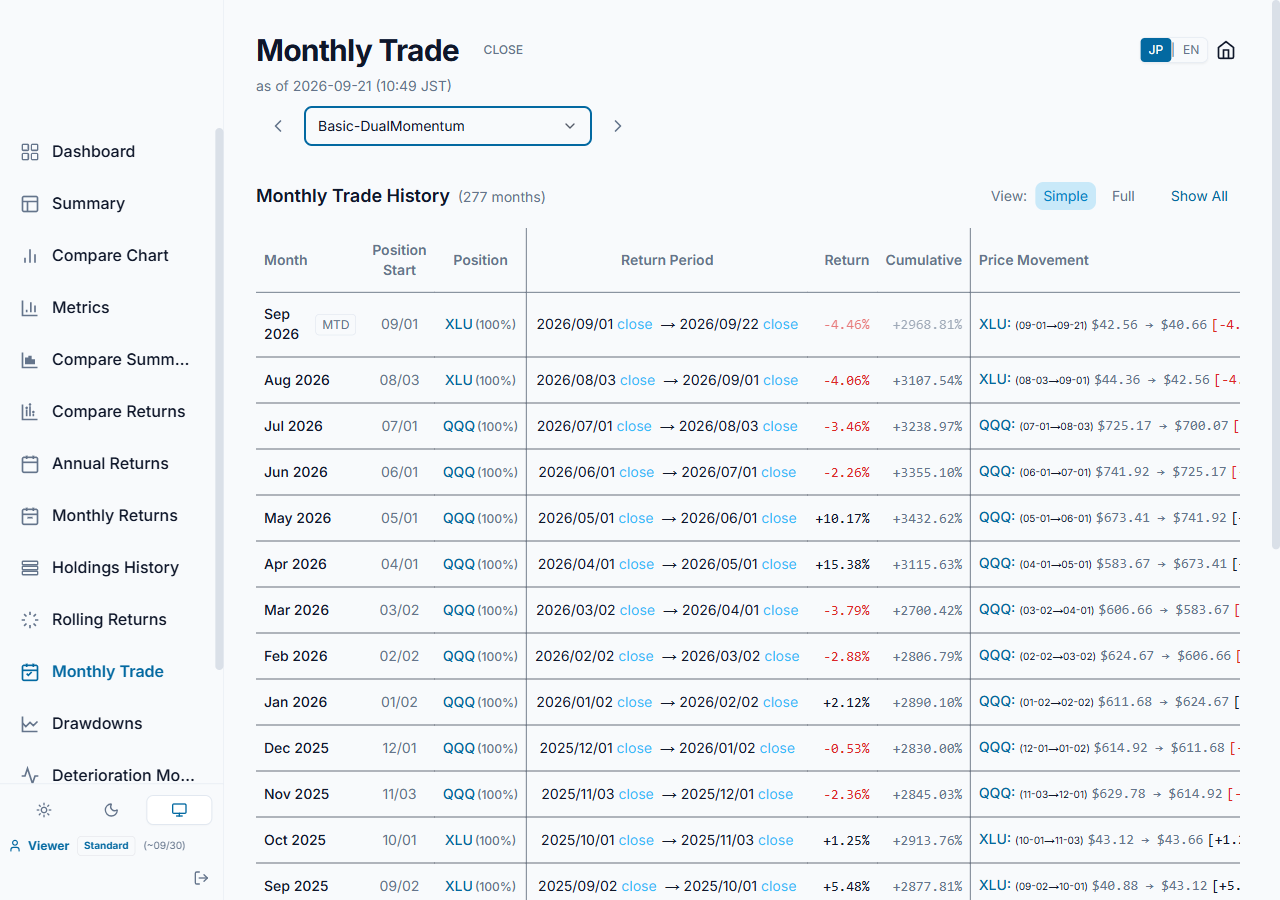
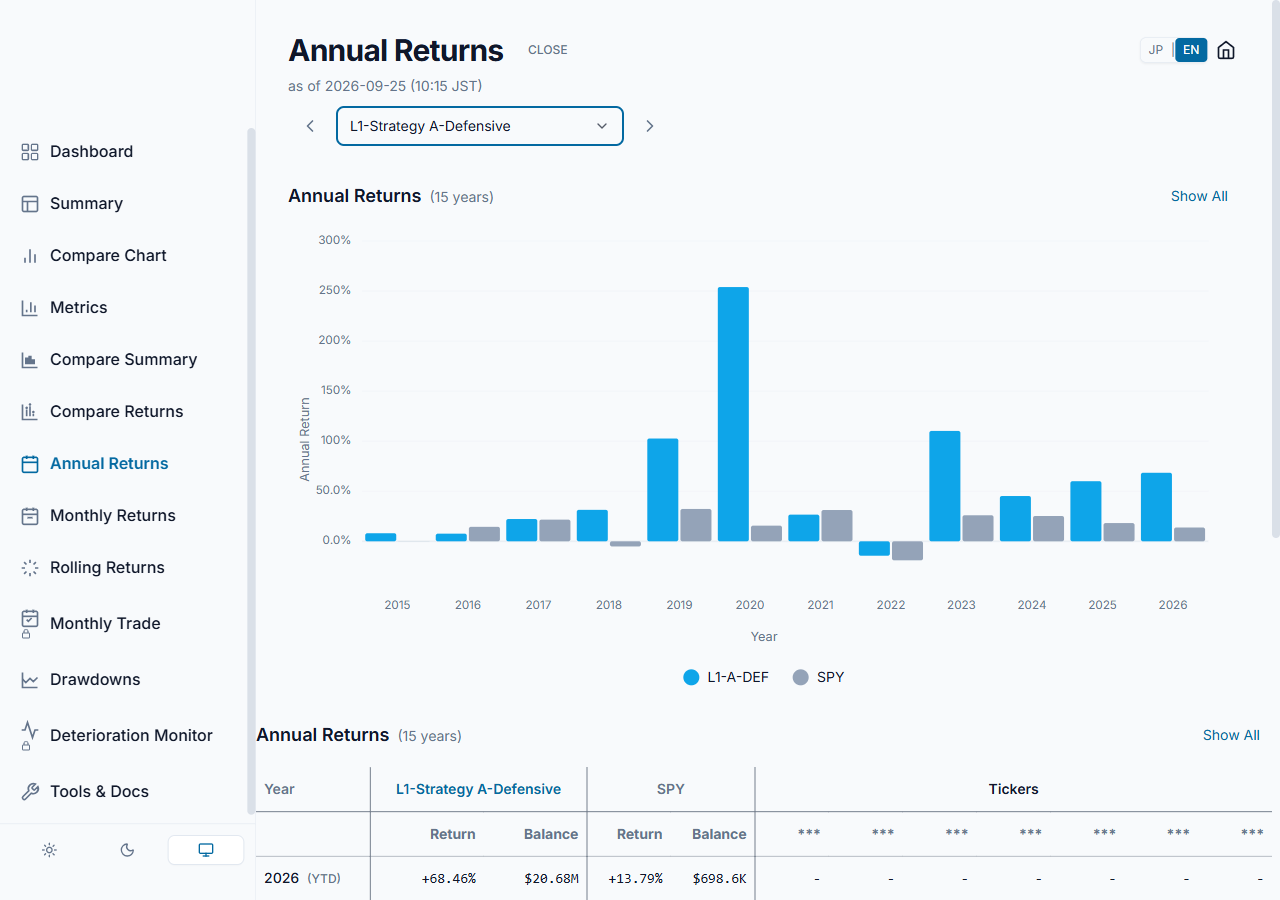
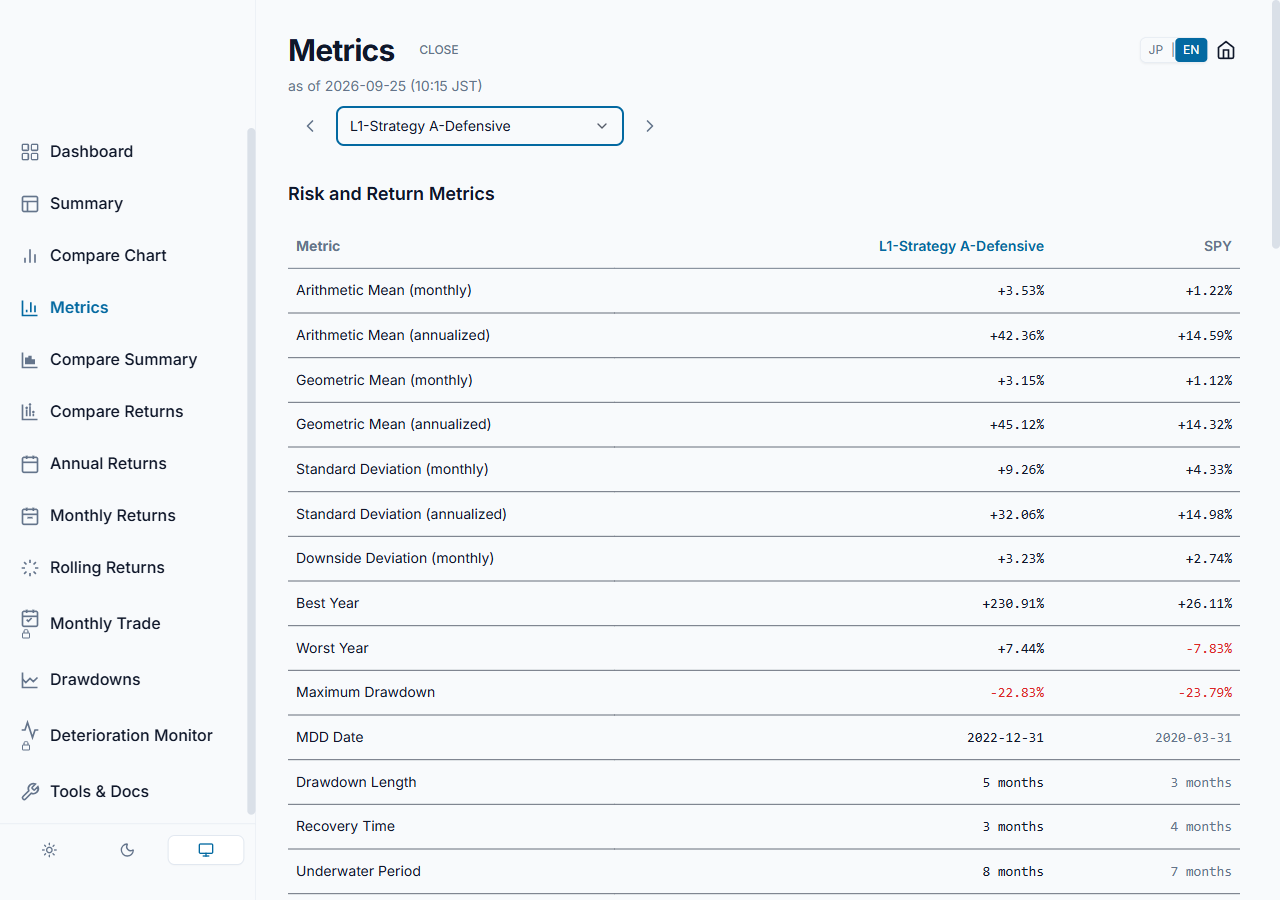
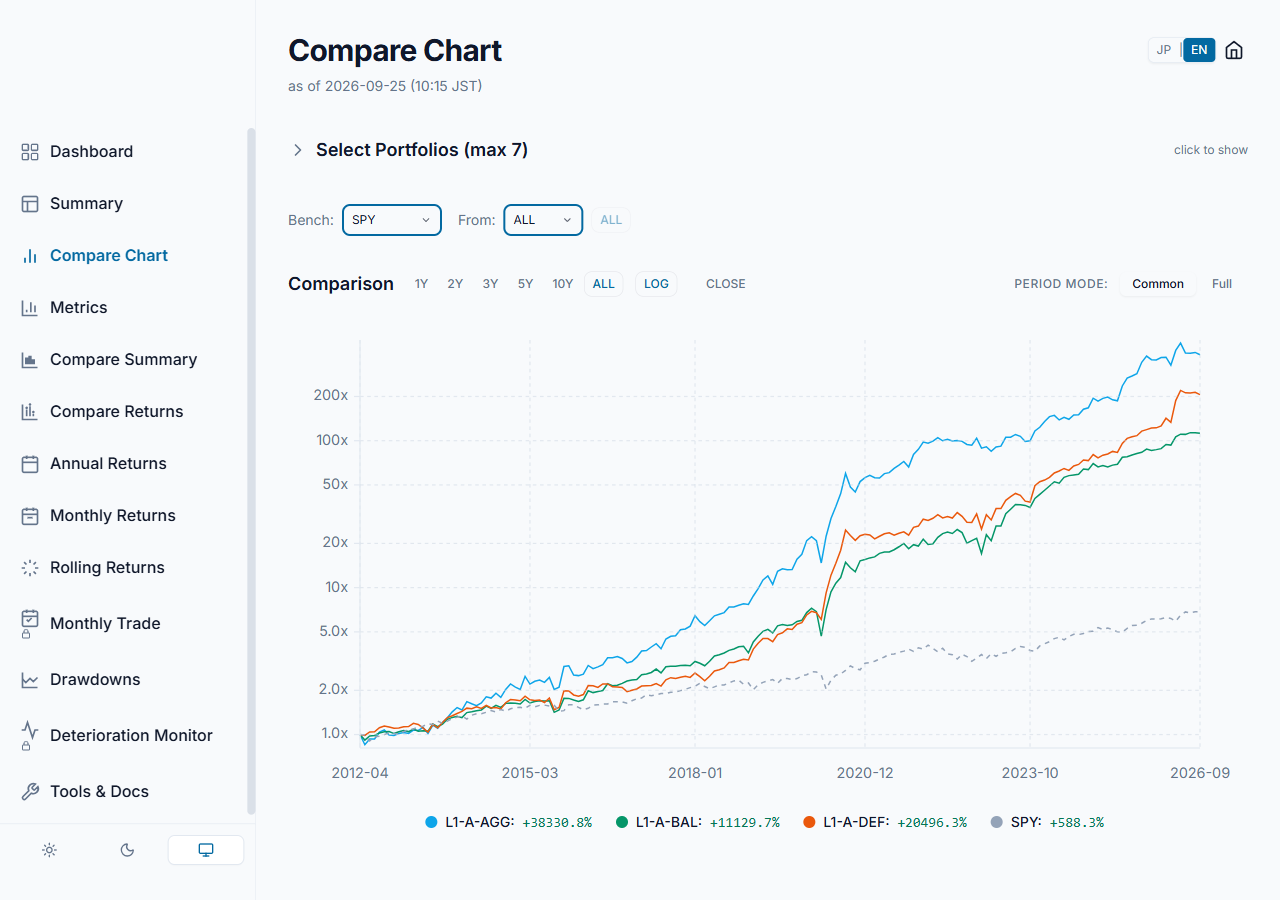
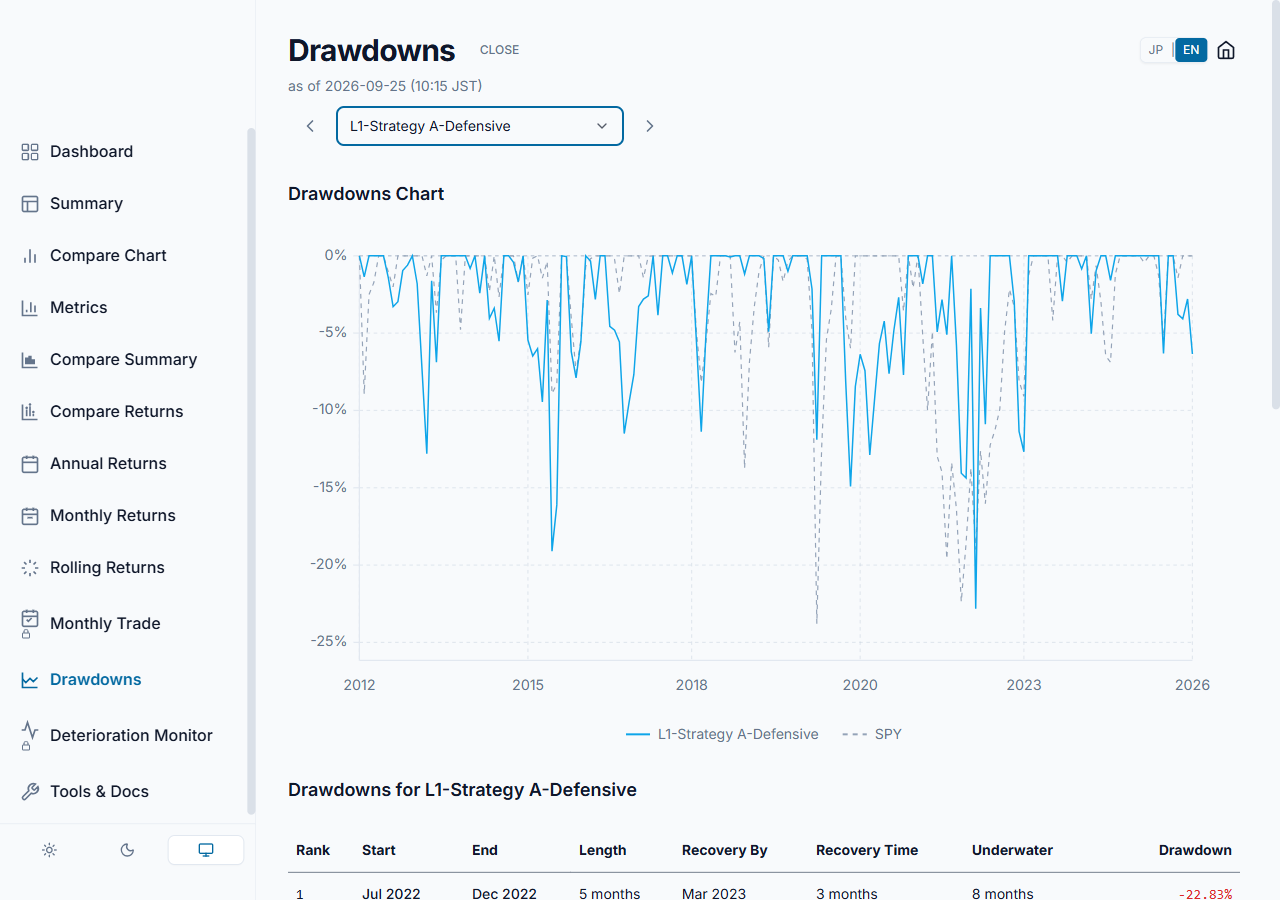
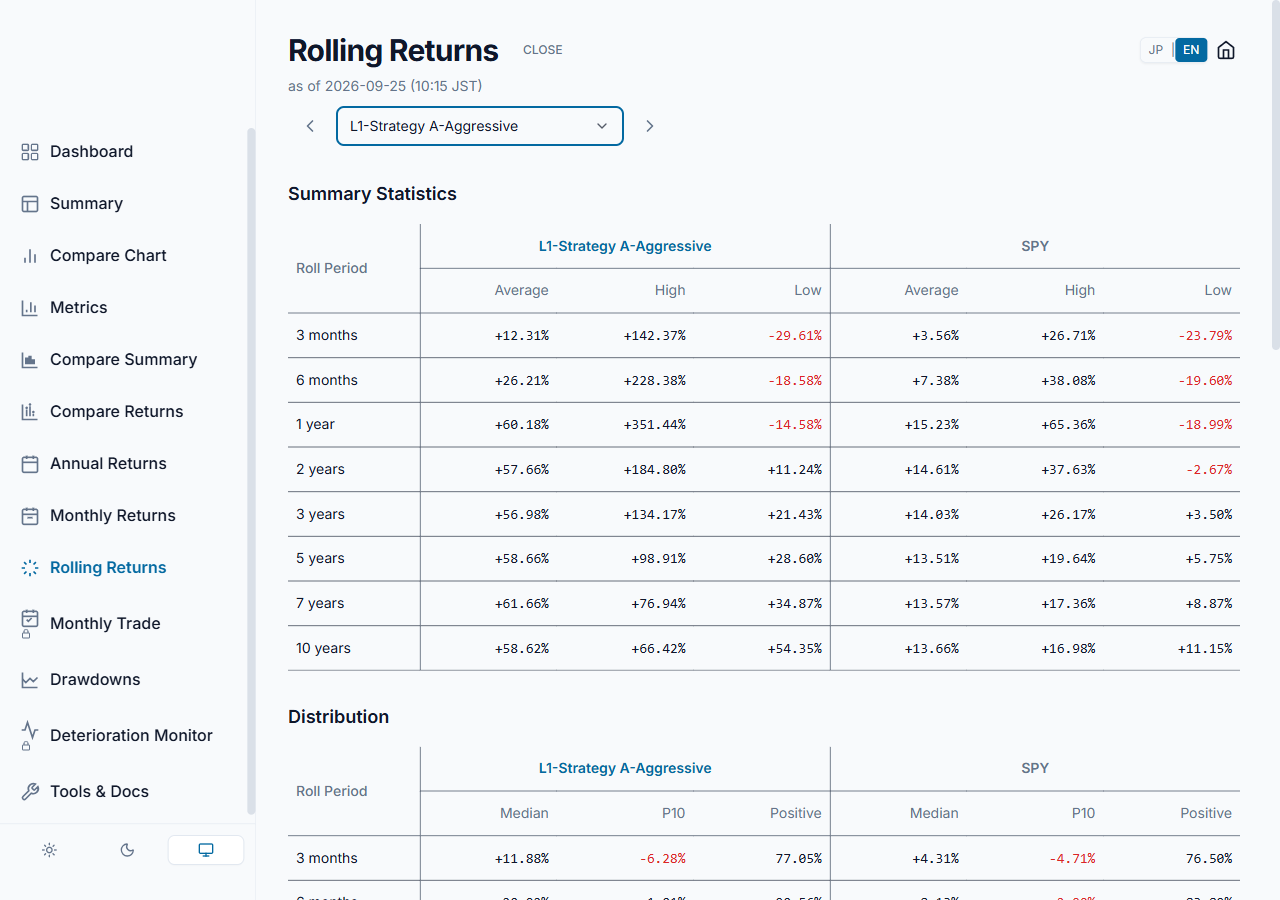
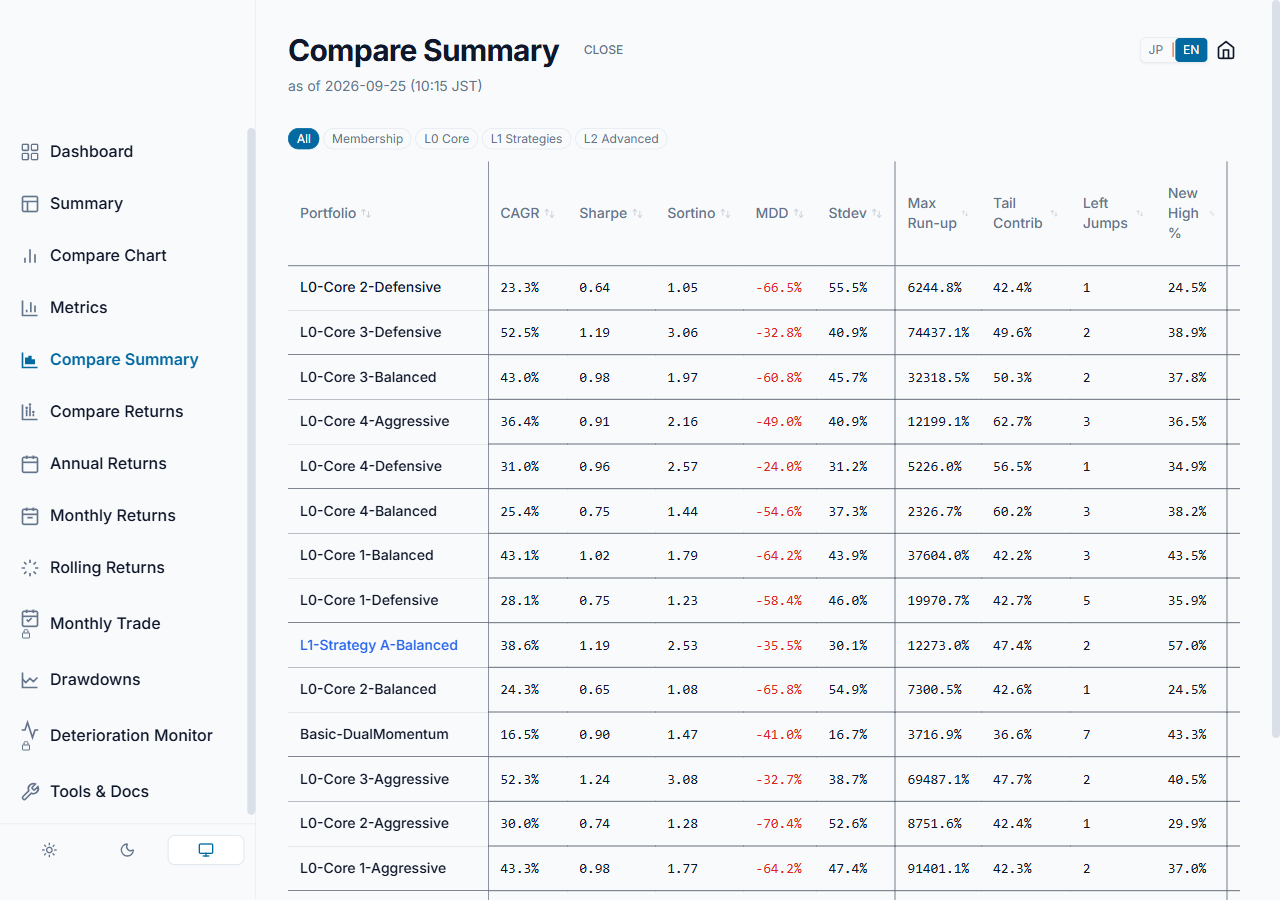
The screens you check each month in the app. The first two show the free Basic-DualMomentum; the rest show the L1-Strategy A portfolios and the full list of portfolios in the Standard plan.
Each month
1The signal is set by the last close of the previous month
2It is published at the start of the month
3Check holdings and weights
4Rebalance if needed
5Wait for the next month end
2026-10: XLU → 2026-11: XLU (100%)
This month's holding, weight and growth (Basic-DualMomentum, free to view)Every monthly switch and its result (Basic-DualMomentum, free to view)Year-by-year returns against SPY (L1-Strategy A-Defensive, Standard plan)Risk and return metrics side by side (L1-Strategy A-Defensive, Standard plan)Growth compared on one chart (the three L1-Strategy A portfolios, Standard plan)Drawdown analysis (L1-Strategy A-Defensive, Standard plan)Rolling return analysis (L1-Strategy A-Aggressive, Standard plan)Compare summary of the portfolios in the Standard plan